


Every Valheim base ends up with the same chore: you’re three Fine Wood short at the workbench, so you walk to the chest, grab the wood, walk back. Then again for Bronze. Crafting only counts what’s in your pockets, and Stack only fills the one chest you have open.
Nearby Chests is a small, free, client-side mod that fixes that. Only you need it, and it works on any server.
Install it
The easy way is a mod manager: install Nearby Chests from Thunderstore with r2modman or Thunderstore Mod Manager, and BepInEx comes along.
By hand: download the -with-BepInEx zip from the releases page and extract it straight into your Valheim folder, so winhttp.dll and the BepInEx folder sit next to valheim.exe. One folder too deep and nothing loads. That’s the mistake that trips up most first-time modders.
To check it worked, stand at a workbench next to a chest full of wood with empty pockets. Wood recipes should light up.
Crafting and building
Walk up to any station and the recipes just work. The numbers in the menu include your nearby chests, so Copper in one chest and Tin in another still makes Bronze. What you carry is spent first, then the closest chests. Upgrades and hammer builds work the same way.
Feeding stations
Press a smelter’s add-ore prompt with empty pockets and the ore comes out of the nearest chest. Same for kilns, blast furnaces, fires and cooking-station fuel. One press still adds one item, exactly like vanilla.
Food and mead stay manual on purpose. A cooking station takes a dozen dishes, and the mod shouldn’t be choosing your dinner.
Putting things away
Get home, open any chest and press Stack, or hold E on it. Every item goes somewhere sensible:
- to the chest it already lives in, whichever chest you opened,
- next to its relatives if it’s new, so a new ore joins your other metals,
- into an empty chest if nothing similar exists, which becomes its home from then on,
- sharing a chest if you’re out of empty ones, meat with plants, stone with wood.
Anything with nowhere to go stays with you, and the message says how many. Every chest that received items gets merged and sorted.
Tidying a messy chest
Every base has the chest where hides, Surtling Cores and random loot got dumped “just for now”. Open it and click Tidy, the three-bar icon left of Place stacks.
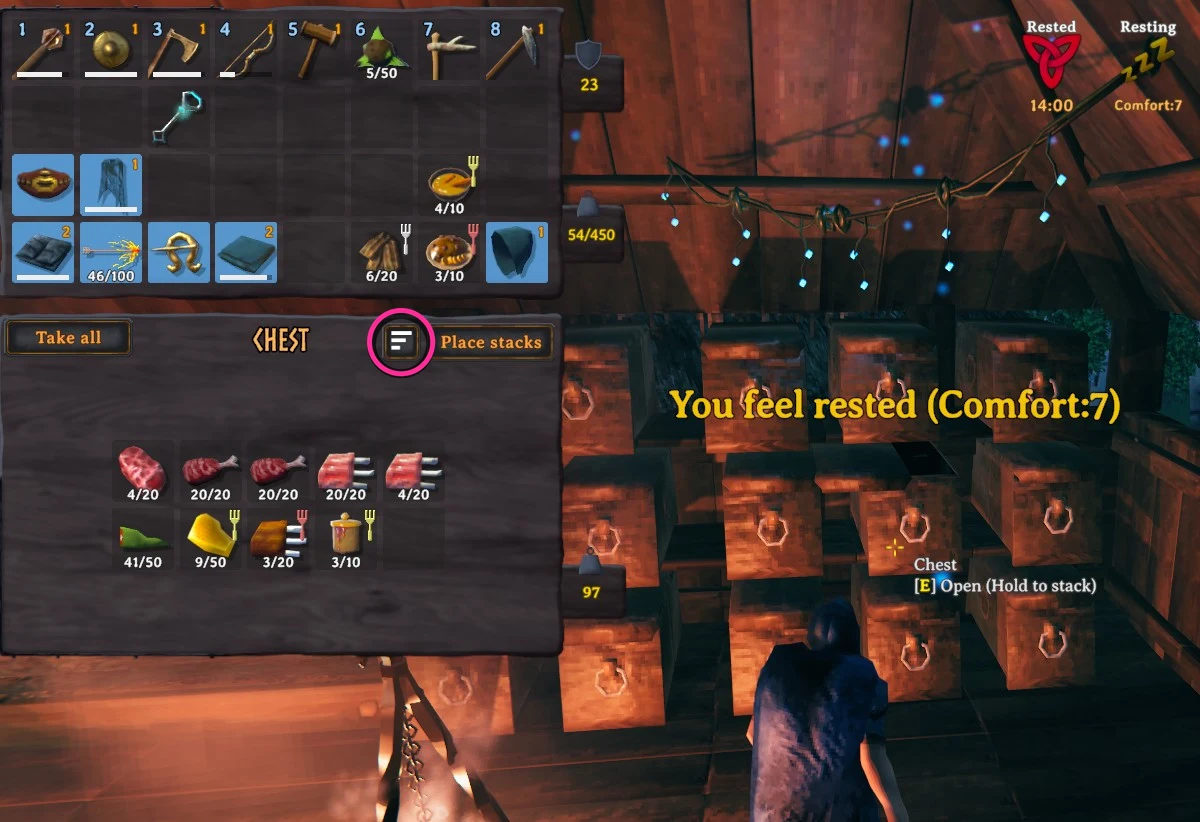
Tidy works out what the chest is mostly for, say metals, and sends everything else to its proper chest. It also pulls in strays: press Tidy on your metals chest and bars scattered in the wood chest come home.
Keeping a slot out of it
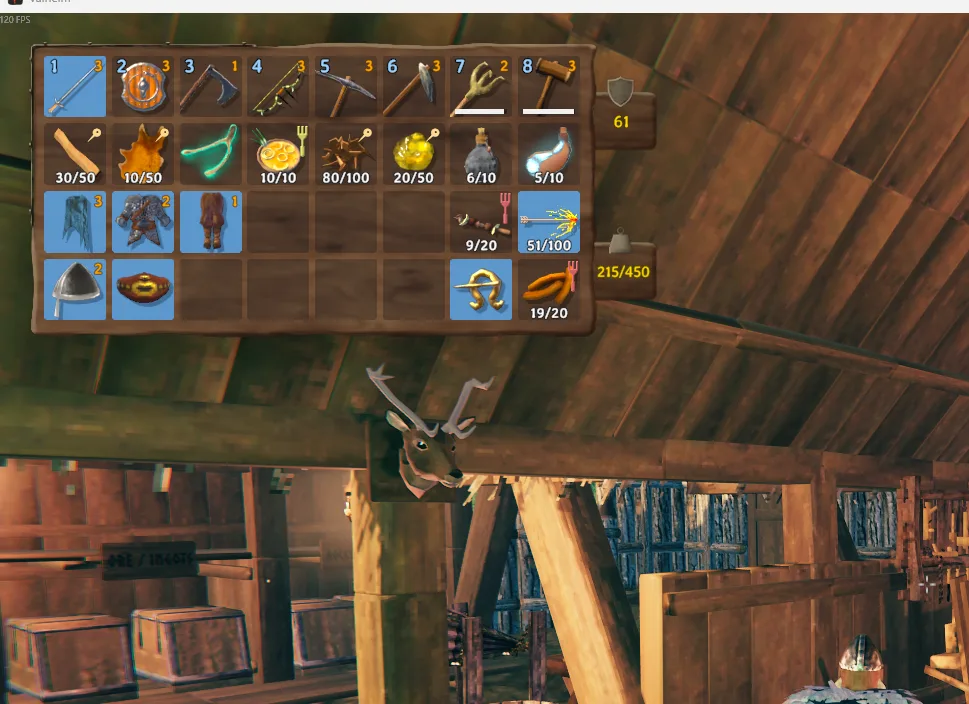
Want to hang on to a stack of wood? Open your inventory and middle-click the slot. A pin appears and Stack skips that slot from then on. Middle-click again to clear it. Marks are saved with your character.
Grabbing materials for a build
Building from chests only works within range. For that outpost across the meadow, select the piece on your hammer and Ctrl + left click. Its materials come out of the chests into your inventory, one piece’s worth per press, and the click doesn’t place anything.
Three switches for fussier bases
All off by default, in BepInEx\config\NearbyChests.cfg:
StackAndTidyKeybinds a key that stacks your inventory and tidies every chest in range, without opening one.OnlyUseMarkedChestsputs an Include in NearbyChests checkbox in every chest window. Only ticked chests count, so the loot chest by the door stays out of it.DontFillEmptyChestsstops Stack from claiming an empty chest for a new item.
What stays with you
Food, meads and potions, ammo, weapons and armor, your hotbar and anything equipped never move, so you’re not defenceless the moment you head out. The mod also leaves alone the Obliterator, gravestones, dungeon chests, and any chest someone else has open or you couldn’t open yourself.
Every setting, and the groups file that decides what counts as “similar”, is on the Nearby Chests page.
Wrapping up
Valheim 1.0 is the best the game has ever been, but base logistics are still on you. Nearby Chests takes that part. It’s free and open source on GitHub, and bugs and “this item belongs in a different group” issues are both welcome. Skål!